Configuration
You can access the firmware at http://frothfet.local (http://frothfet on Android) or by entering the IP address. The IP address and hostname are printed out over the serial port at startup. You should see an interface similar to this:
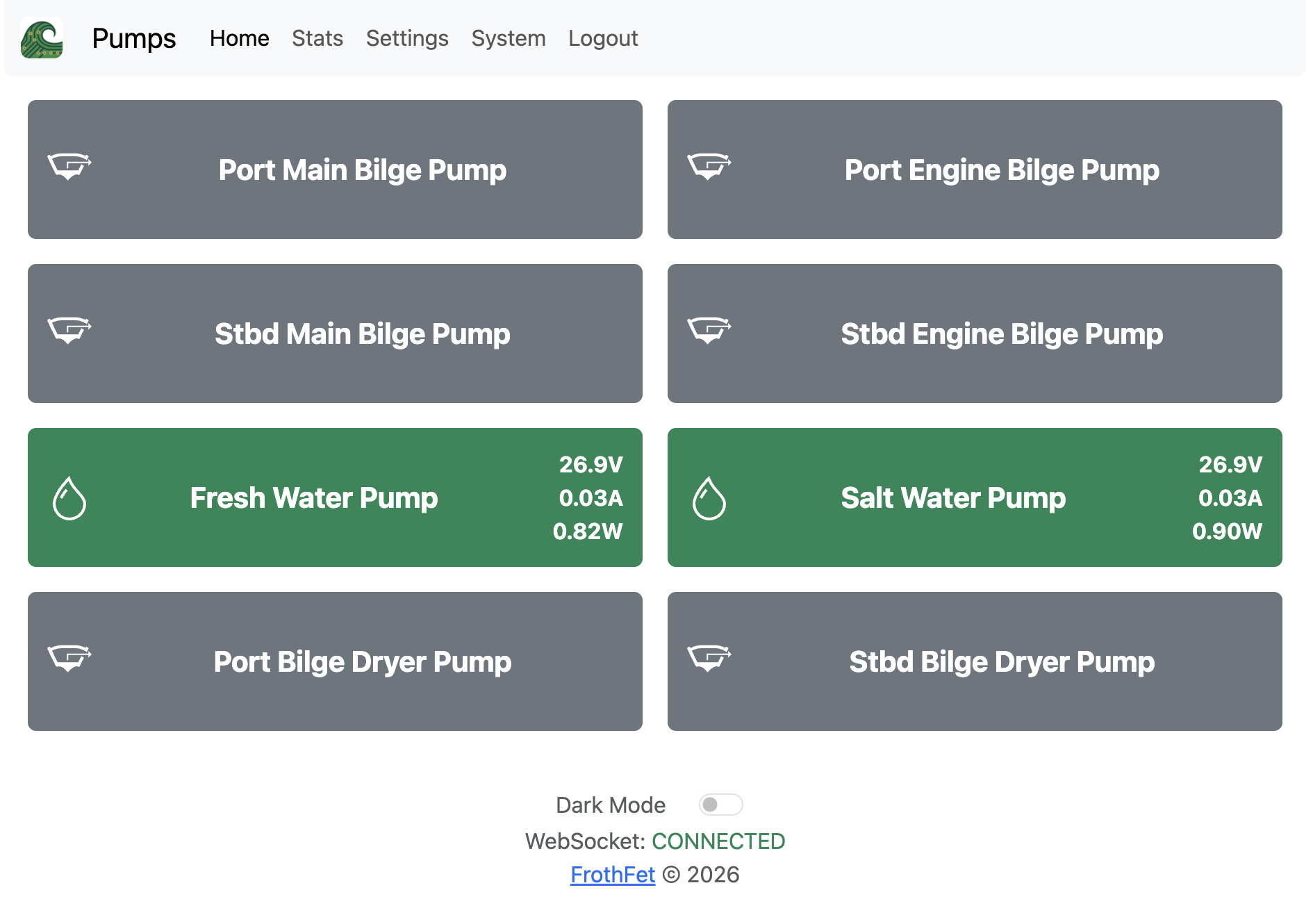
Go to Settings -> PWM Channels page. There you can edit each channel’s configuration. Most of these settings are self-explanatory, but we will cover some details of each below. Here is an example bilge pump configuration:
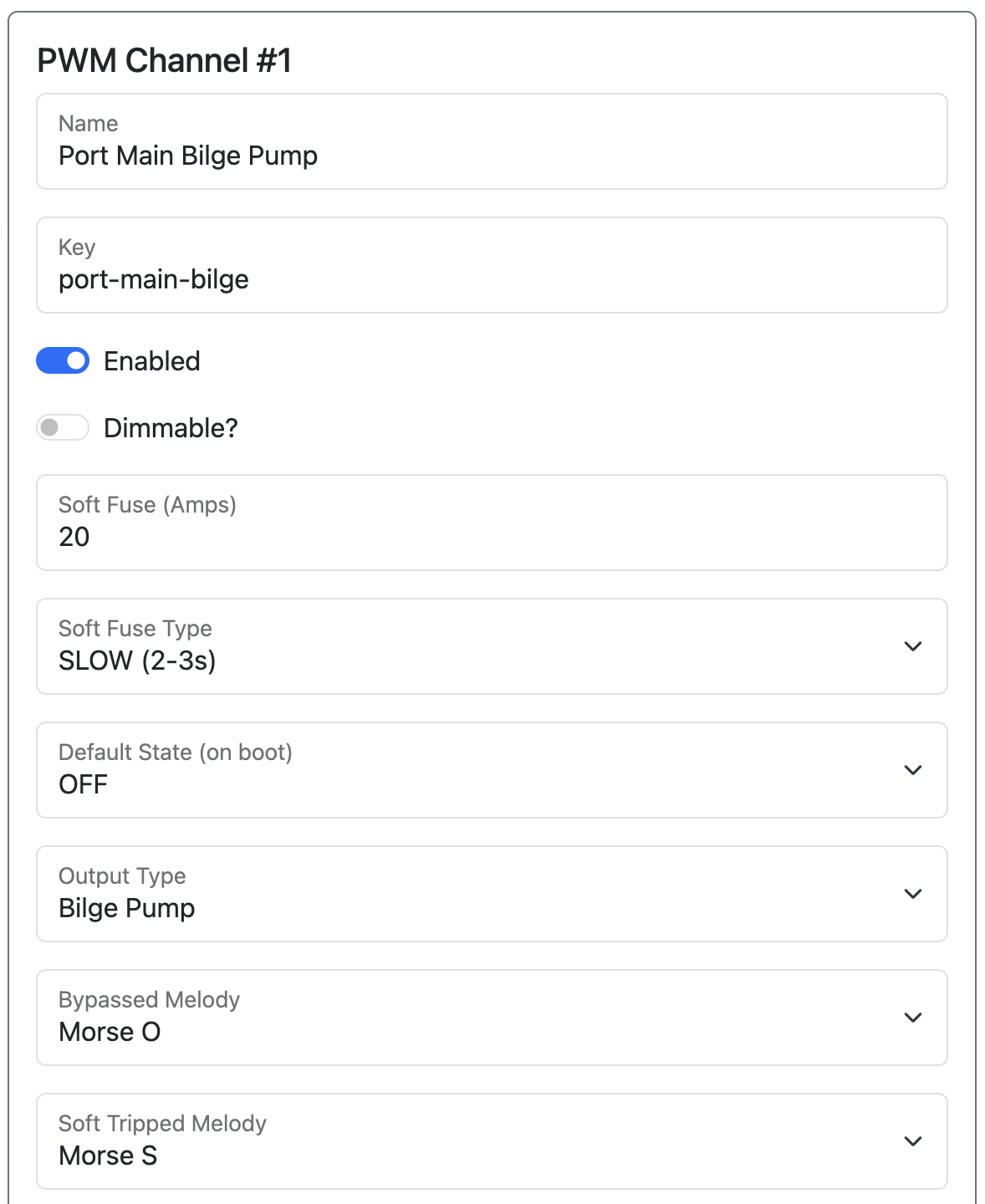
Name / Key / Enabled
Name is what is shown to the user, and key is used for API paths such as MQTT topics and SignalK paths. The Enabled toggle controls whether a channel is active — disable unused channels to hide them from the dashboard and exclude them from API output.
Dimmable
This toggle enables PWM / duty cycle / brightness control. For LED lighting, this will control the brightness. For motors and pumps, you can use PWM to control the speed and power of the motor.
Soft Fuse
Soft fuse is the current limit for this channel. Set it to a reasonable value above the normally expected load. If you don’t know this amount, you can measure the amperage using FrothFET and adjust it later.
If this current is exceeded, the channel will turn off and enter into TRIPPED mode. You can reset it by clicking the channel button in the UI.
Soft Fuse Type
There are 3 soft fuse types:
- SLOW - trips in 2-3 seconds
- MEDIUM - trips in 20-50 milliseconds
- FAST - trips in 50-1000 microseconds
Choose the one that is appropriate for your load. For inductive loads like motors, pumps, fans, and solenoids you will want to chose SLOW. For other loads, any type is acceptable.
Default State
This is the state of the output on boot. If you want a load such as a water pump to always start in the ON state, use this option.
Output Type
Choose from a variety of different load types. Mostly it is for choosing the icon to display in the UI.
The exception to this, is Light. If you choose Light and enable Dimming then the light will be tied into global brightness. It is also required to enable the gamma-aware smooth fading for turning lights on and off.
Bypass / Soft Trip / Fuse Blown / Overheated Melody
Here you can select an optional tune to be played on the built-in piezo if the channel encounters any of these error states. Selecting a melody will cause it to be played for testing.