Operation
You can access the firmware at http://frothfet.local (http://frothfet on Android) or by entering the IP address. The IP address and hostname are printed out over the serial port at startup. You should see an interface similar to this:
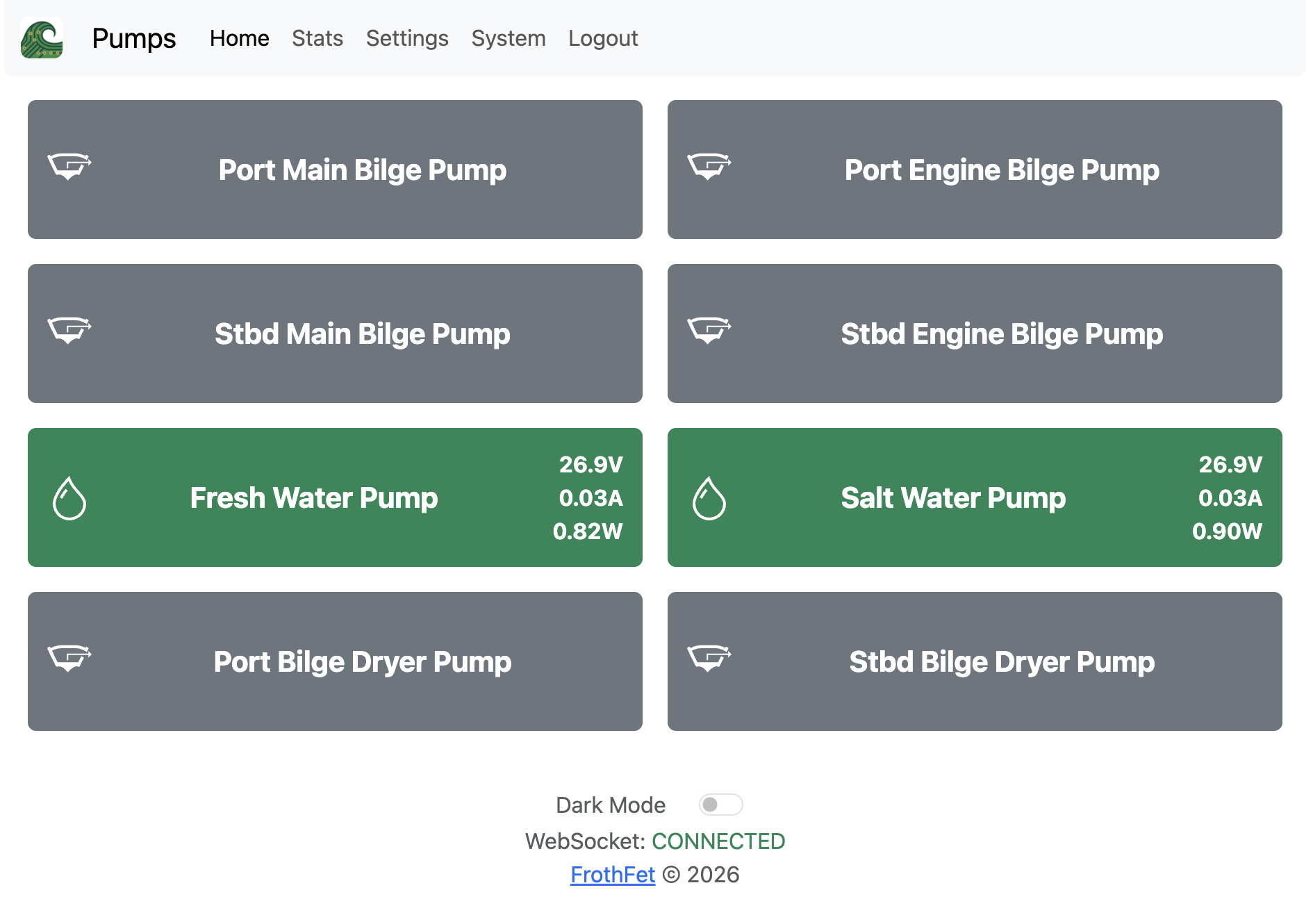
Load Control
You can turn a load on/off by clicking the button with its name. If a load is dimmable, it will have a slider that you can use to adjust the duty cycle / brightness.
If a load enters the TRIPPED or BLOWN state, you can click the button to reset the channel. Make sure to investigate the cause of the trip or the state of the fuse before switching the load back on.
Channel Modes
A channel can be in one of the following states:
- OFF - Load is disconnected from supply voltage.
- ON - Load is connected to supply voltage.
- BYPASSED - Channel is off, but voltage is detected on the output side.
- TRIPPED - Software overcurrent limit exceeded, channel turned off. Click to reset.
- BLOWN - Channel is on, but no voltage detected on output side. Check for shorts, replace fuse and click to reset.
- OVERHEAT - Channel is too hot, temporarily disabled. Install cooling fans or wait for temperature to drop.
TODO - add a screenshot of page with all the states demonstrated.